How it works
From a phone photo to a finished listing photo
Four steps, about a minute of waiting, and nothing to install. Here is what happens at each one.
Step 1
Add a photo
Take it on your phone or use one you already have. Ordinary light is fine; it does not need to be a good photo.
- One item per photo, or one matching pair or set
- The whole item inside the frame, with a little space around it
- JPG, PNG, HEIC or WebP, at least 300 pixels on its shorter side
- Up to 20 photos at once; each becomes its own set
Step 2
Pick the photos you want made
Tick any of the four. Only the ones you tick are made, and it counts as one upload whichever you pick.
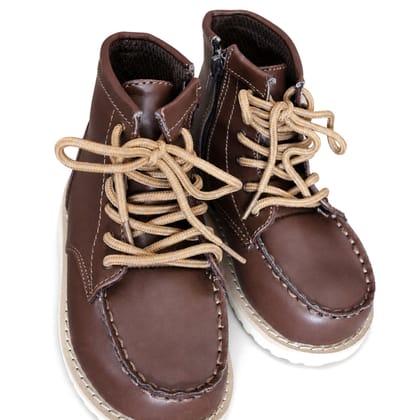
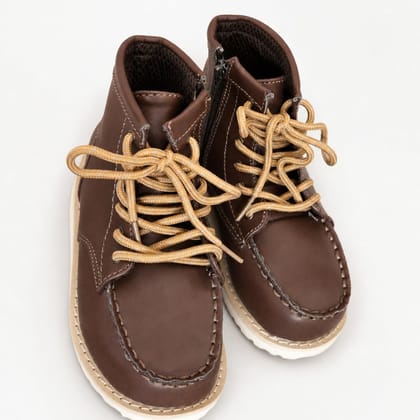
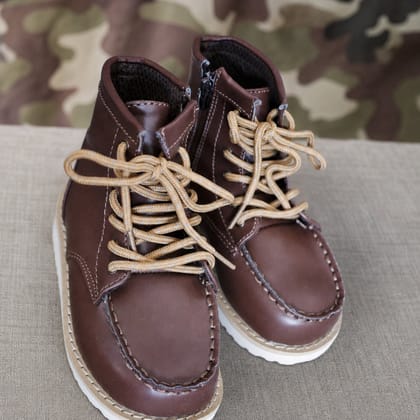
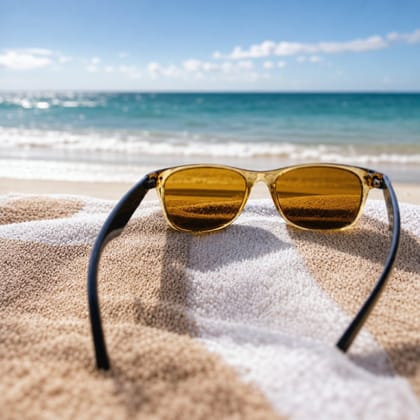
For a custom scene you can ask for a place, a surface, a light, or for the item to be held, worn or put in something, such as a gift box.
Step 3
We make them, and check each one
It takes about a minute. You can leave the page and come back; your set will be waiting.
- Each version is a new picture made from your photo by an AI model, so the item is redrawn, not cut out
- Every version is compared with your original before you see it
- One that differs is made again, and left out of your set if it still differs
- A stand, a cloth or anything else the item was photographed with is normally left out
Checked against your photo
A new picture, the same item
AI can drift: a logo changes, a colour shifts, one of a pair goes missing. A buyer who receives something different from the photo sends it back. So every version is compared with the photo you uploaded before you see it.
- Lettering, logos, colour, pattern and the number of pieces are checked
- A version that does not match is made again, then left out if it still differs
- Your original stays in the set, for marketplaces that ask for an unedited photo
Leather boots: White version
+12 points
The plain white background is clean and keeps focus on the shoes.
The shoes are evenly lit with clear color and visible details.
The shoes look naturally placed on the surface with believable shadows and perspective.
The photo looks neat and trustworthy and would work well for a product listing.
The full product is in frame and fills most of the image well.
The shoes are crisp and in focus with clear edges and stitching detail.
2048 by 2048 pixels, large enough for zoom on every marketplace.
A listing photo score. Size is measured. Background, lighting, realism, appeal, framing and sharpness are judged by a vision model that is shown every photo the same way and is not told which ones we made.
Step 4
Compare, read the scores, download
Slide between your original and any version. Each one has a listing photo score out of 100, with a plain reason for every part of it. It is a guide to the photo, not a prediction of sales.
- Download one photo, or the whole set as a zip
- Full size, 2048 px: Shopify, Amazon, eBay
- Large, 1600 px: eBay, Etsy
- Square, 1080 px: Poshmark, Depop, Mercari, Instagram
- Choosing Etsy adds your original, since Etsy asks for an unedited photo of the item
- Look each version over against the item before you list it, as you would any edited photo
Publishing straight to a shop is planned but is not available yet. For now you download the files and add them to your listing.
What it costs
Free for 7 days with a card, then one of three plans by how many photos you list in a month.
Give your next listing a better photo
It takes a phone photo and about a minute.
Start 7 day free trialFree for 7 days with a card, then from $12.99 a month. Cancel any time before the trial ends and pay nothing.